
111*365: Creating Rounded Corners
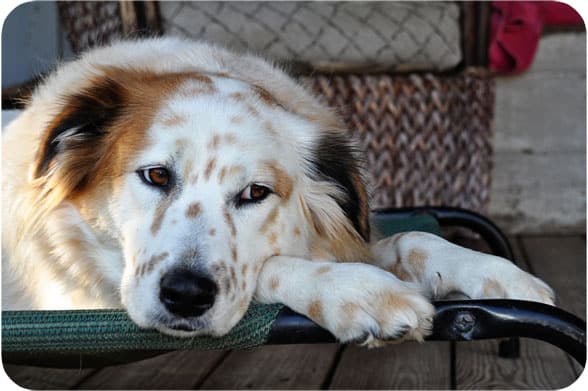
Remember those rounded corners on the photo prints of the 70s? (I know…I’m dating myself here…) It’s easy to do them on your digital photos, too.
In the top photo, I used a Photoshop action named Rounded Corners 2, one of the many free Photoshop actions available through The CoffeeShop Blog.
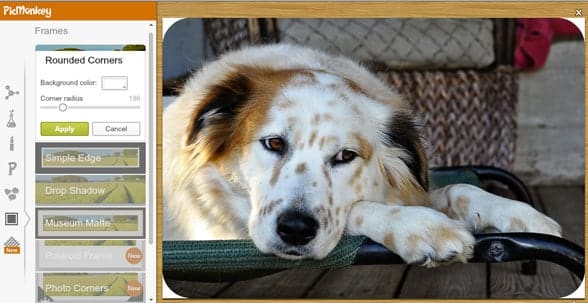
If you don’t use Photoshop, though, you can get rounded corners with PicMonkey. Select the Frames option then select Rounded Corners. You can change the color of the background (perfect if you’re adding the photo to a blog with a background color other than white). You can also change the radius of the corner and control just how much is “notched” out!
Paris Permenter is the award-winning author of over 30 pet and travel books and 2000 magazine articles for publishers ranging from Reader's Digest to Simon and Schuster. Paris is a certified canine enrichment specialist with a focus on enriching your daily dog walks.
Latest posts by Paris Permenter (see all)
- Bear Dog Names: 265+ Names Inspired by Bears - August 22, 2026
- 200+ Police Dog Names: K9-Inspired Names for Dogs Big and Small - August 18, 2026
- What is Scatter Feeding? - August 18, 2026